
Phone Cleaner Launcher
XHDeveloperTools
4.582.00 Reviews
- Version
- 1.2.6
- Installs
- 50.00K
- Age Rating
- Everyone
Screenshots
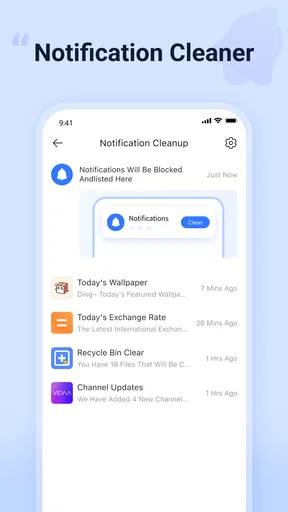
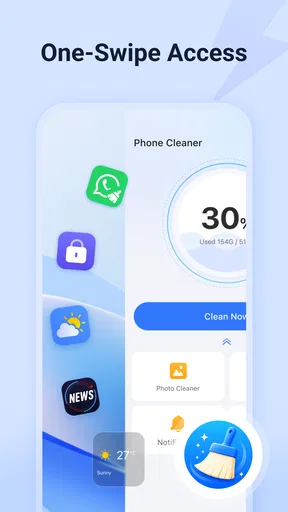
Our Review of Phone Cleaner Launcher
 Analysis by Appyee
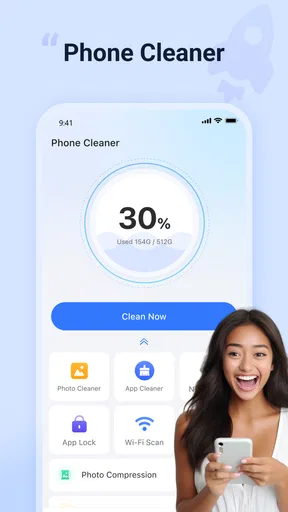
I spent time with Phone Cleaner Launcher as a practical Android utility rather than treating it like a magic speed-up button. Its purpose is straightforward: help organize junk cleaning, photo and file management, and app locking from one place. That combination makes it more useful than a tool focused only on deleting temporary clutter, especially if your phone feels messy in several different ways at once.
The app is developed by XHDeveloper and sits in the Tools category. It is free to use, carries an Everyone age rating, and requires Android 11 or later. Its current version is 1.2.6, so anyone using an older Android release should check compatibility before planning a switch. I also like that the basic cost is easy to understand: there is no purchase price attached to the app itself.
That free entry point matters because cleaner apps can be difficult to judge before installation. With this one, you can try its workflow without committing money first. The public response is also encouraging, with a 4.5 average from around 1.7 thousand ratings and more than 50 thousand installs. Those figures do not replace personal testing, but they suggest that the app has found an audience beyond a handful of early users.
How Phone Cleaner Launcher fits into everyday phone maintenance
I find Phone Cleaner Launcher most useful as a regular maintenance starting point, not as something to open only when storage is already tight. Bringing clutter review and app locking into the same routine can make it easier to catch small issues before they become a scramble. That everyday role also makes the next question important: what should I check before trusting a cleanup session?
A single starting point for clutter and privacy tasks
What I found most useful was the way the app brings several maintenance jobs together. Instead of opening a separate gallery tool to review pictures, a file manager to inspect storage, and a privacy utility to lock apps, you can begin from the same cleaner-oriented interface. That does not automatically make every task better, but it reduces the number of places you need to remember.
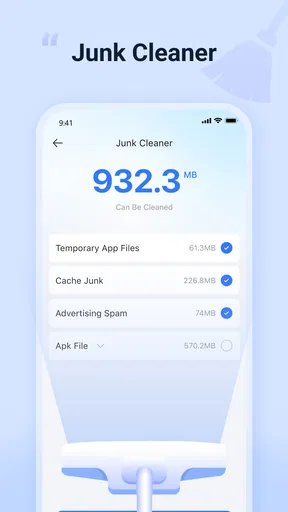
The junk-cleaning side is best understood as a review step, not a command to erase everything immediately. When I use any cleaner, I want to know what it considers disposable before confirming removal. This is especially important for downloads, duplicated media, old installation packages, and files whose names are not obvious. A sensible routine is to scan first, inspect the larger or unfamiliar items, and only then remove what I recognize.
That habit is one of the app’s practical strengths for less technical users. A phone can become crowded without the owner knowing which folders are safe to touch. A guided cleaner can make the first pass less intimidating than digging through Android storage manually. At the same time, I would not hand over every deletion decision to any automated tool. Personal photos, exported documents, voice recordings, and offline content can look like clutter while still being valuable.
Photo cleanup needs a slower hand
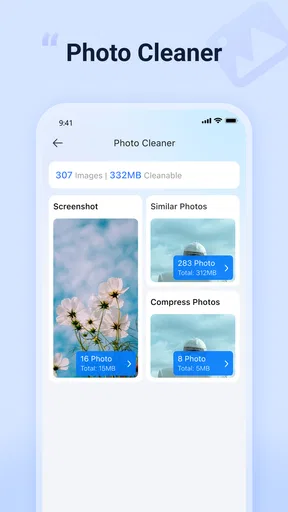
Photo management is where I would be most careful. The useful workflow is not simply “find pictures and delete them.” It is deciding which images are duplicates, blurry attempts, screenshots, receipts, memes, or memories that deserve to stay. A cleaner can help surface candidates, but the final decision still belongs to me.
For example, after a family event, I might have several near-identical shots and a collection of screenshots used temporarily to share details. Reviewing those groups in one sitting is more efficient than searching through the entire gallery randomly. I would first save anything important elsewhere, then remove only the obvious rejects. The trade-off is time: a careful review takes longer than pressing a broad cleanup button, but it greatly reduces the chance of losing something irreplaceable.
This makes the app more appealing to people who need help finding clutter than to users who want aggressive automation. If your photo library is large and carefully organized already, your phone’s built-in gallery may remain the clearer choice. If your images are scattered between camera shots, screenshots, and downloaded pictures, a dedicated cleanup view can provide a more useful starting point.
Files are easier to manage when you think in categories
The file tools are valuable because storage problems are rarely caused by one dramatic item. More often, the space disappears through many small downloads, old documents, media received in chats, and files that were useful once but have been forgotten. I prefer approaching this area by category and by size rather than deleting based only on age.
A realistic example is preparing for a trip. Before leaving, I might remove outdated tickets, duplicate itinerary files, and videos already backed up, while keeping offline maps and travel documents. The important insight is that “old” does not mean “unneeded.” A document created months ago may still be essential, while a file created yesterday may be disposable. The app can support the sorting process, but it cannot know the personal meaning of every file.
I would also treat storage cleanup as a maintenance habit instead of an emergency cure. A short review every few weeks is less stressful than waiting until the phone refuses to save a photo. The app’s combined focus on junk, images, and files makes that routine easier to remember because the related tasks are presented together.
App locking adds a different kind of usefulness
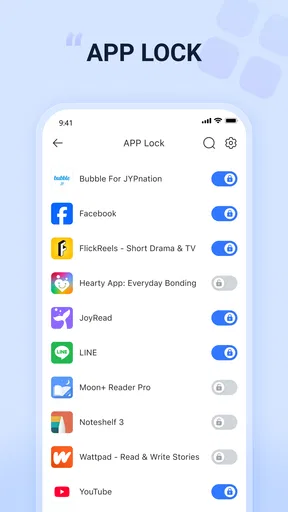
App lock is the feature that separates this utility from a basic storage cleaner. It addresses access to selected apps rather than storage space. That can be useful on a shared phone, when lending the device to a child, or when you want an extra barrier around messaging, gallery, notes, or financial applications.
I see it as a privacy layer, not a replacement for the phone’s main security. A strong device passcode, biometric protection, and a secure lock screen should remain the foundation. An app-level lock is helpful for situations where somebody already has temporary access to an unlocked phone. It can reduce casual snooping, but I would not treat it as a complete security strategy for sensitive information.
There is also a usability trade-off. Every additional lock creates another moment of friction, and that friction becomes annoying if applied to too many apps. I would choose only the applications that genuinely need separation. Locking everything may sound safer, but it can turn ordinary phone use into a sequence of interruptions. Selective protection is the better balance.
What the free price means in practice
Because the app is free, its value is mainly measured in convenience rather than money saved on a purchase. I can test the combined workflow, decide whether it fits my habits, and stop using it if the built-in Android tools feel sufficient. That makes the risk of trying it relatively low for someone with a compatible device.
Still, free access does not automatically make an app the best option. The real question is whether it saves enough effort to justify adding another utility to the phone. Android already includes storage controls, file browsing, gallery management, screen locks, and app-related privacy settings. For a user who is comfortable with those built-in options, Phone Cleaner Launcher may feel like a convenient dashboard rather than an essential tool.
For someone less comfortable navigating system menus, the value is different. Having cleaning, photo review, file handling, and app locking in one recognizable place can reduce the learning curve. I would describe that as practical value, not a promise of dramatic performance improvement. The app’s strongest case is organization and access, not a guaranteed transformation of an older phone.
Where the usual alternatives can be better
The first alternative is Android’s own storage management. It is usually the safest place to begin because it is integrated with the operating system and already understands the device’s storage structure. If my only problem were a nearly full drive, I would compare the built-in controls before adding another app.
A dedicated file manager can also be better for people who want precise folder-level control. File managers tend to suit users who know exactly where their documents live and prefer moving, renaming, or sorting items manually. Phone Cleaner Launcher is more attractive when I want a guided overview rather than a detailed filing system.
For photos, the phone’s standard gallery may provide a more familiar timeline and album structure. A specialized photo application may be preferable for serious backup, editing, or library organization. This app makes more sense when photo cleanup is one part of a broader maintenance session.
Privacy-focused users may likewise prefer the security features built into their device or a solution designed specifically around private storage. The app lock here is useful as part of a general toolkit, but I would choose a more specialized solution when privacy is the main reason for installing anything.
Small decisions that improve the experience
My first tip is to run a cleanup when I am not rushed. A scan performed just before taking an important trip or recording an event encourages careless deletion. Giving myself time to inspect candidates makes the tool safer and more useful.
My second tip is to separate “recovering space” from “organizing the phone.” Deleting a few large videos may solve an immediate storage problem, while sorting screenshots and old documents is a longer project. Treating those as different tasks prevents me from making broad changes simply because the phone is temporarily full.
My third tip is to use app locking selectively. I would begin with one or two genuinely private apps and see whether the added step fits my routine. If the lock becomes an obstacle every time I use the phone, its theoretical privacy benefit may not justify the inconvenience.
A fourth useful habit is to check important files before cleaning categories that appear obvious. Receipts, schoolwork, work attachments, and exported backups can be mixed with disposable downloads. The more personal the phone, the more cautious I would be with automatic suggestions.
Who is likely to get the most value?
I think this app is a good match for Android users who want a simple maintenance hub. It is especially suitable for people who regularly accumulate screenshots, downloaded media, duplicate photos, and forgotten files but do not enjoy navigating several system menus. The app-lock function also gives it a reason to stay installed after the initial cleanup.
It may be useful for a family member who needs a clear starting point for phone upkeep. I would still explain that every deletion should be reviewed and that app locking is an extra privacy measure, not a substitute for a secure device passcode. The Everyone rating also makes the app broadly approachable from an age-classification perspective.
It is less compelling for advanced Android users who already maintain a disciplined folder structure and know the system storage tools well. Those users may prefer separate, specialized utilities because they offer deeper control. I would also skip it if I only wanted a file manager, a photo backup service, or a dedicated security product; the broader combination could feel unnecessary.
Installation details worth checking first
The compatibility requirement is Android 11 or later, which is important before spending time setting up a cleanup routine. On a supported device, the current version is 1.2.6. I would install it only from a trusted app source and review each system prompt carefully, particularly when a tool is going to inspect files, photos, or protected apps.
After installation, I would begin with the least risky area: reviewing visible junk or clearly disposable downloads. Then I would move to photos and files, where personal judgment matters more. I would leave app locking until I understand the app’s flow and know which applications genuinely need an additional barrier.
My final recommendation
Phone Cleaner Launcher delivers a sensible bundle for a free Tools app. Its value comes from bringing junk review, photo cleanup, file organization, and app locking into one routine instead of forcing me to jump between unrelated utilities. That is a meaningful convenience for everyday Android users whose main problem is disorder rather than a lack of advanced controls.
My recommendation is to try it if your phone feels cluttered and you want a guided place to start. Use it deliberately, inspect deletion suggestions, and keep the app lock focused on genuinely private apps. I would skip it if Android’s own tools already cover your needs or if you want specialist-grade file management, photo backup, or security.
Overall, I see it as a practical organizer with a useful privacy extra, not a miracle performance booster. Since it is free, the decision is less about purchasing value and more about whether its combined workflow makes phone maintenance easier for you. For the right user, the best feature is the reduction in everyday friction: fewer menus to remember, clearer cleanup sessions, and one convenient place to begin.
Verdict
Strengths of Phone Cleaner Launcher
- Quickly removes cached files and other unnecessary data.
- Simple interface makes cleaning tools easy to find.
- Launcher shortcuts provide fast access to device utilities.
- Can help free storage space on devices with limited capacity.
- Useful battery and memory information is presented at a glance.
Limitations of Phone Cleaner Launcher
- Cleaning results may vary depending on the Android version and device.
- Some features may require intrusive permissions to work properly.
- Ads can interrupt the experience, especially in free versions.
- Memory-boosting tools may offer limited real-world performance benefits.
- The launcher may change your home-screen layout or default settings.
Similar Picks in This Category
View All
Google LLC4.0

Gboard - the Google Keyboard
Google LLC4.5

Google Play services
Google LLC4.3

Google Play Store
Google LLC4.9

Files by Google
Google LLC4.5

SHAREit: Transfer, Share Files
Smart Media4U Technology Pte.Ltd.4.3
Frequently Asked Questions
What is Phone Cleaner Launcher, and what does it do?
Phone Cleaner Launcher is an Android utility that combines a home-screen launcher with phone-cleaning tools. After testing it, I found that its main purpose is to provide quick access to shortcuts while helping users review storage usage, remove unnecessary files, and manage apps more conveniently. Its usefulness depends on the device and the type of files detected, so users should review suggested items before confirming deletion.
Can Phone Cleaner Launcher really improve my phone’s performance?
The app may help free storage space by identifying temporary files, cached data, unused packages, or other items that can be removed safely. However, it cannot magically increase the phone’s processing power or repair hardware-related slowdowns. In practice, the most noticeable improvement usually comes from recovering storage and reducing clutter. Results vary depending on how full and active your device already is.
Is Phone Cleaner Launcher safe to use?
Phone Cleaner Launcher can be useful, but it requires access to areas such as storage, installed applications, and possibly notification or overlay features depending on the version and enabled tools. Before accepting permissions, check why each one is needed. I recommend reviewing every cleaning result manually, avoiding aggressive removal options, and downloading only from a trusted official store to reduce security and privacy risks.
Will using the cleaner delete my important photos, videos, or documents?
The cleaning process should generally focus on temporary or unnecessary files, but users should not assume that every recommendation is risk-free. Some cleaning tools may classify large files, duplicate media, downloads, or unused applications as removable. Before tapping the final clean button, inspect the list carefully and back up important photos, videos, documents, and chat media. This is especially important when using automatic cleaning features.
Does Phone Cleaner Launcher replace my current home screen, and can I uninstall it later?
Because it includes launcher functionality, Phone Cleaner Launcher may ask to become the default home application. You can usually keep or restore your previous launcher through Android’s default-app settings, although the exact menu names differ between manufacturers. If you decide it is not suitable, disable it as the default launcher first, then uninstall it normally. Removing the app should not delete personal files, but backups are still recommended.
